Phone Call App & WiFi Call Any
- 4.2
- Rating
- 1.00M
- Installs
- Free
- Price

 Analysis by App-foxy
I approached Phone Call App & WiFi Call Any as a practical communication tool rather than a replacement for every calling service on my phone. Its central idea is straightforward: use an internet connection for voice calls when that is more convenient than relying entirely on a mobile network. After spending time with it, my view is that it is most useful as a flexible backup for people who regularly deal with weak cellular coverage, travel-related calling problems, or the need to separate internet calling from their normal phone routine.
The app is free to install, and its communication-focused design is easy to understand. It comes from Clear Phone Call & Global WiFi Calling, has an Everyone content rating, and supports devices running Android 9 or later. The current version is 1.5.5. Those details make it accessible to a broad group of users, although the experience still depends heavily on the quality of the Wi-Fi or mobile data connection available at the moment of a call.
What using the app feels like in everyday situations
The strongest part of this app is the simple reason many people will open it: they want to make a call when ordinary cellular service is unreliable. I can imagine using it in an apartment where the Wi-Fi reaches every room but the mobile signal fades near the interior walls, or in a hotel where data access works better than roaming voice service. In those situations, an internet calling app can be more useful than repeatedly walking around looking for one bar of signal.
You May Also Like

 Blood Strike: 2.5 Anniversary
Blood Strike’s Loadouts Turn Every Drop Into a Tactical Gamble
A close look at Blood Strike’s custom loadouts: how fast access to signature weapons reshapes its battle royale rhythm, rewards preparation, and narrows the gap between fights.

 Pandora - Music & Podcasts
Pandora’s Music Is Easy to Start, but Harder to Recover
Pandora’s strength is its low-effort path from a seed to a station. Its weak spot is how much confidence it asks you to place in connection, setup, and quiet recovery.

 8 Ball Pool
 Is Built on Rivalries, Rematches, and Routine
A close look at the rivalries, rematches, shared routines, and unanswered safety questions that turn a quick pool match into a persistent mobile community.

 Samsung Music
’s Quiet Strength Is Playing What You Already Own
Its reach comes less from spectacle than from dependable access to a personal library. That simplicity is both the app’s strongest retention engine and its ceiling.

 AccuWeather: Weather Radar
AccuWeather Review: A Quick, Clear Forecast for Everyday Decisions
For everyday plans, the best forecast is the one you can understand quickly. AccuWeather makes rain timing, radar, and local conditions easy to act on, with a few trade-offs.

 Hill Climb Racing
Why Hill Climb Racing Still Turns Crashes Into One More Run
A tiny car, a bumpy hill and one more upgrade: Hill Climb Racing keeps resurfacing because its simple chaos makes every near-miss feel personal.
More From Our News Desk



A realistic everyday example is a family member trying to reach someone while traveling. Instead of depending only on a carrier’s international calling arrangement, the user can turn to an internet-based caller when connected to dependable Wi-Fi. The important practical step is to test the app before the trip, not during an urgent call. A short test with the person you expect to contact can reveal whether the connection, microphone, speaker, and call flow work comfortably on your device.
I also see value for people who live or work in buildings with inconsistent reception. A normal phone app may be familiar and convenient, but it cannot solve a cellular dead zone by itself. This app gives the user another route. That does not make it automatically better than the default dialer; it makes it useful in the moments when the default option is limited by the network around you.
The app’s store positioning focuses on global internet Wi-Fi calling and VoIP calls with an emphasis on call quality. In practice, I would treat that promise as conditional rather than absolute. Voice quality is shaped by congestion, router performance, distance from the access point, and whether other people are streaming or downloading at the same time. A stable connection can make the conversation comfortable, while an unstable one can produce delays, interruptions, or a clipped voice regardless of how polished the app itself feels.
One useful habit is to keep the phone close to the Wi-Fi access point before starting an important conversation. This is especially relevant in larger homes, offices, and public spaces where the signal may appear connected but fluctuate as you move. I would also avoid switching between Wi-Fi and mobile data in the middle of a sensitive call unless necessary. A connection change can be more disruptive than simply ending the call and starting again from a stronger location.
Where the internet-based approach has a real advantage
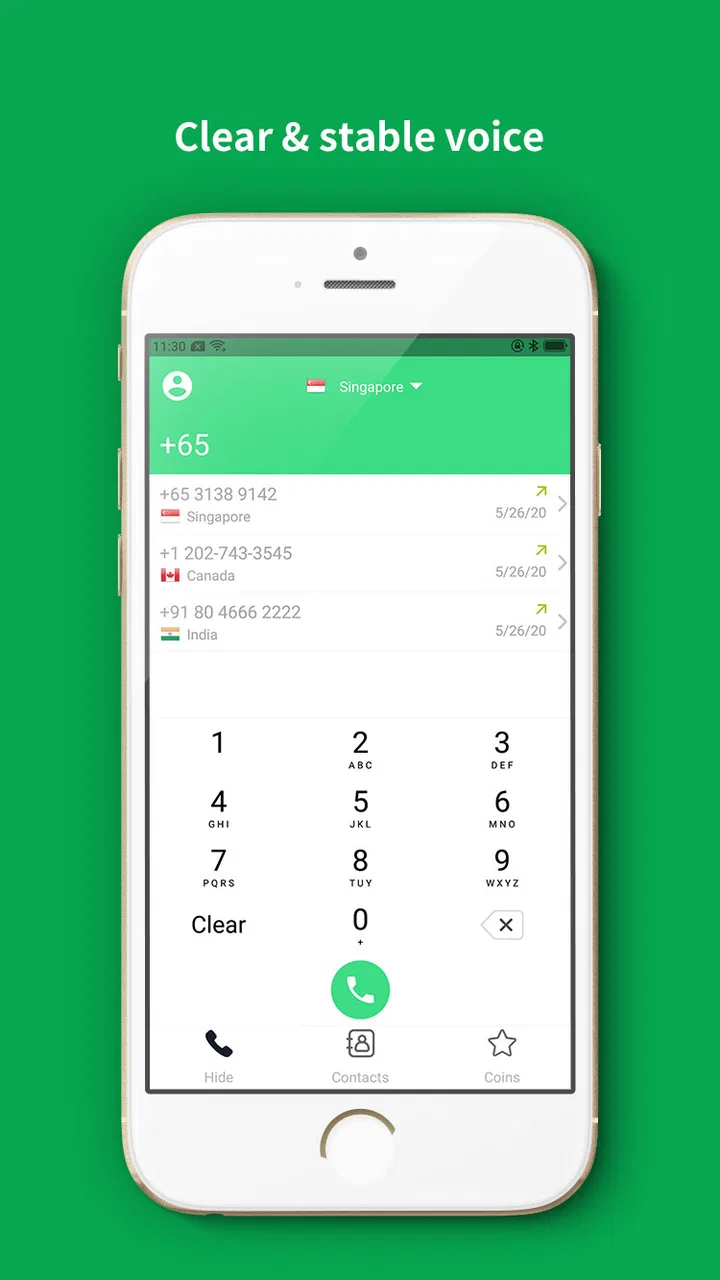
Compared with a standard carrier dialer, the main advantage is flexibility. The default phone app is usually the quickest choice when cellular service is strong, because it is already integrated into the phone and familiar to everyone involved. Phone Call App & WiFi Call Any becomes more interesting when the usual route is inconvenient. It offers a separate calling path for users who want to make voice calls through an internet connection instead of relying exclusively on the carrier signal.
Compared with messaging apps that include voice calls, this app is aimed more directly at the phone-call experience. Messaging platforms can be excellent when both people use the same service and are comfortable with its contact system. They are less convenient when the other person does not use that platform or when the user wants a calling tool focused specifically on voice communication. The trade-off is that a dedicated internet caller still needs a suitable connection, while an ordinary phone call may work in places where cellular coverage is available but Wi-Fi is not.
That distinction matters for families. If everyone already uses one messaging service, adding another calling app may create unnecessary friction. If relatives use different platforms, or if one person’s mobile signal is unreliable at home, a dedicated Wi-Fi calling option can be easier to justify. I would choose based on the people I need to reach, not simply on the presence of the word “global” in the app’s description.
The app has attracted over a million installs, with an average rating of 4.2 from around 39 thousand ratings and roughly 4.3 thousand written reviews. Those figures suggest that it has found a substantial audience, but they should not be treated as a guarantee that every call will be clear. Communication apps are unusually sensitive to a user’s location, network, device hardware, and expectations, so my own test call would matter more than a broad rating when deciding whether to depend on it.
Small workflow choices that improve the experience
My first recommendation is to use it as part of a calling plan rather than as the only way to reach people. Keep the regular phone option available for emergencies or places without usable internet access. Then use the app for the situations it handles best: a weak-signal room, a reliable Wi-Fi network, or a call where internet access is more practical than cellular service.
My second recommendation is to check the audio environment before blaming the app. A quiet room, a clear microphone opening, and a sensible speaker volume can make a bigger difference than users expect. If the other person sounds distant, I would test headphones or move away from a noisy appliance before concluding that the service is unusable. On the other hand, if the problem continues across different networks and locations, I would stop treating it as a one-off connection issue.
My third tip is to think about account and contact habits before depending on the app for regular communication. Users should know how they will find the people they want to call and whether those contacts are comfortable receiving calls through this method. A calling app can be technically capable yet inconvenient if the people around you do not recognize it or prefer another way to communicate.
There is also a financial detail worth noticing. The app is free, but it includes in-app purchases ranging from $0.99 to $9.99 per item. I would not assume that every useful calling situation is covered without cost. Before using it for frequent or international communication, I would review the purchase prompts carefully and understand what an optional item provides. This is particularly important for anyone choosing the app because they expect a completely cost-free alternative to carrier calling.
The limitation I would take most seriously
The biggest weakness is not the basic concept; it is the uncertainty that comes with internet-dependent voice communication. A Wi-Fi symbol on the screen does not always mean the connection is strong enough for a smooth conversation. Public networks may be crowded, home routers may struggle under load, and mobile data can become inconsistent when coverage changes. If a call is important, I would not rely on this app without a backup route.
There is also a difference between “can make calls over the internet” and “feels exactly like the normal phone app.” The default dialer benefits from being deeply familiar and immediately available. A separate app adds another step, another interface, and another place to manage calling habits. For someone who makes only occasional calls and already has dependable cellular service, that extra step may not be worth it.
Privacy and trust are also part of the decision whenever a user installs a communication app. Calls are personal, and users should read the app’s current permission requests and privacy information on their own device before making it part of their routine. I would be especially careful on a shared phone, a work device, or a public network. This is not a reason to dismiss the app, but it is a reason to avoid installing any calling tool casually.
Another limitation is that call quality cannot be judged only from the first successful conversation. A call made beside a modern router may sound fine, while a call from another room or a busy café may behave differently. I would test the app in the exact place where I expect to use it. That test should include speaking naturally, listening for delay, and checking whether the other person can hear the beginning and end of sentences clearly.
The app may also be a poor fit for users who need a complete communication suite. If your priority is group video, shared chats, file exchange, or a large social network of contacts, a broader messaging platform may serve you better. This app’s appeal is narrower and more practical: internet-based voice calling. A focused tool can be an advantage, but only when its focus matches the user’s actual need.
Who should install it, and who should skip it
I would recommend trying it if you often lose cellular reception indoors, travel and want another internet calling option, or need a dedicated way to place voice calls through Wi-Fi. It is also worth considering for people who dislike depending on one network path. Having a second method can be reassuring when a normal call fails at the least convenient moment.
It is a particularly sensible experiment for someone with a reliable home connection and a phone that meets the Android 9 minimum requirement. The free entry point lowers the barrier to testing it, while the Everyone rating makes it suitable for a broad household audience. Still, I would start with ordinary, low-pressure calls and only make it part of a serious communication routine after checking how it performs in the locations that matter most.
I would skip it if your carrier service is already excellent everywhere you call and you have no interest in internet-based voice communication. I would also look elsewhere if you need a polished all-in-one messaging environment, detailed collaboration tools, or a calling service that your entire contact list already uses. In those cases, the default dialer or an established messaging platform may be simpler.
For international use, I would compare the app’s purchase choices with the alternatives available through your carrier and the messaging services used by your contacts. The right option depends on who you are calling and how often. A free installation does not automatically mean the lowest total cost, so I would check the in-app purchase flow before making a long-term decision.
Device compatibility is straightforward for Android users on version 9 or newer, but compatibility alone does not guarantee a good experience. Older phones may have different microphones, speakers, or background-management behavior than newer models. If the app works inconsistently, I would test it without unnecessary apps running and compare results on another network before deciding whether the phone or the connection is responsible.
My final take after weighing the trade-offs
Phone Call App & WiFi Call Any succeeds when viewed as a practical second route for voice communication. I like that its purpose is easy to understand: it gives users an internet-based calling option for the moments when normal cellular service is inconvenient. The broad availability, free starting point, and focused communication role make it approachable, while the substantial user base indicates that many people are willing to try this kind of solution.
My recommendation comes with a clear condition: test the app in your real environment before trusting it for important calls. Use the strongest available Wi-Fi, make a short conversation, try the room where reception is normally poor, and pay attention to delay as well as volume. That simple process will tell you more than any general promise about high-quality calling.
The app is not a universal replacement for the phone already on your device. It cannot remove the weaknesses of an unstable internet connection, and its in-app purchases mean that users should understand the cost of frequent use. But as a backup for weak cellular coverage, a travel companion, or a focused VoIP calling tool, it has a convincing place in an Android communication toolkit.
My verdict is positive for the right user: install it if Wi-Fi calling solves a problem you genuinely have, keep the regular dialer as a fallback, and judge it by repeated calls in your own home, workplace, or travel setting. If your current phone service already handles every call comfortably, this app may add more choice than value. For everyone else, it is a worthwhile free experiment with useful potential and limitations that are easy to manage when understood in advance.
FAQs for Phone Call App & WiFi Call Any
01What is Phone Call App & WiFi Call Any, and how does it work?
Phone Call App & WiFi Call Any is designed to let users make calls through an internet connection instead of relying entirely on a traditional mobile network. After installation, you generally create or access an account, allow the required permissions, and use the app’s dialer or contact features. Call quality depends on your Wi-Fi or mobile data connection, device compatibility, and the recipient’s network.
02Can I make free calls with Phone Call App & WiFi Call Any?
The app may offer internet-based calling, but “free” calling usually depends on the specific feature, destination, account type, and current service conditions. Calls between supported users may not require conventional cellular minutes, while calls to regular phone numbers can involve limitations, credits, advertisements, subscriptions, or regional charges. Check the app’s pricing details before making important or international calls.
03Does the app require Wi-Fi, mobile data, or a phone number?
Phone Call App & WiFi Call Any primarily needs an active internet connection, either Wi-Fi or mobile data, to connect calls. During setup, it may also request a valid phone number for verification, account recovery, or caller identification. Using mobile data can consume your plan’s allowance, especially during longer calls, so Wi-Fi is generally preferable when available and reliable.
04Is Phone Call App & WiFi Call Any safe and private to use?
Before using the app regularly, review its privacy policy, permissions, and account settings. Calling applications may request access to contacts, the microphone, notifications, and sometimes phone-related information. These permissions can be necessary for core functions, but you should avoid granting access that seems unrelated. Do not share verification codes, payment details, or personal information through suspicious messages.
05What should I do if calls are delayed, disconnected, or have poor audio quality?
Call performance is strongly affected by connection speed, network congestion, microphone permissions, battery-saving restrictions, and the recipient’s connection. Try switching between Wi-Fi and mobile data, moving closer to the router, closing bandwidth-heavy apps, and restarting the application. Also confirm that the microphone is not blocked and that the app is updated. If problems continue, consult its support options.
Pros
- Simple interface makes calling features easy to find.
- Useful option for calling when mobile coverage is weak.
- Can help reduce cellular minutes when using Wi‑Fi.
- Quick setup with minimal navigation required.
- Suitable for users who prefer internet-based calling tools.
Cons
- Call quality depends heavily on Wi‑Fi speed and stability.
- May use noticeable data when making frequent calls.
- Some features may require in-app purchases or subscriptions.
- Caller availability can vary by country and network restrictions.
- Background use may affect battery life on older devices.

Phone Call App & WiFi Call Any
Gallery